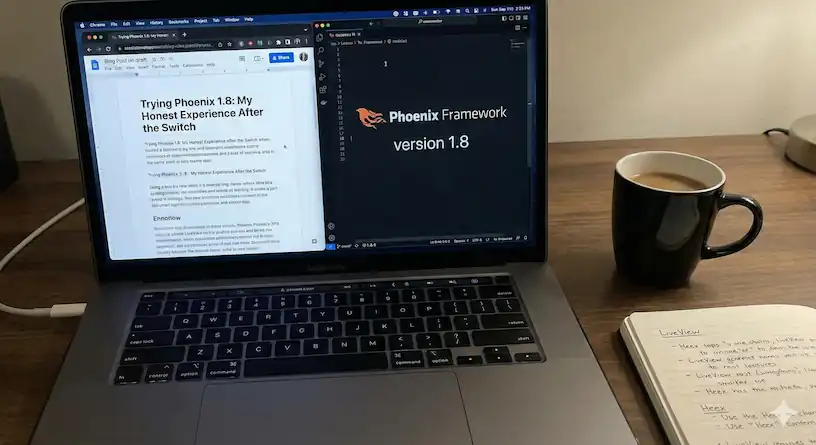
When Phoenix 1.8 came out, I was a bit skeptical. I have been using Phoenix for a while now, and every big update usually brings some nice improvements, but also things that make you adjust your workflow. Here is how I adapted, what I liked, and what I changed.
Adjusting to DaisyUI
The first surprise was the switch to DaisyUI. I had been using Flowbite CSS for a while and was comfortable with it. So when Phoenix adopted DaisyUI, it felt strange at first. But after a few days, I started to appreciate its simplicity. It is lightweight, consistent, and fits perfectly with LiveView. It just takes a bit of getting used to.
One thing that bothered me was that Phoenix 1.8 removed modals from its core components. That meant extra work for me, but it pushed me to build a better, more native modal solution, which I actually like now.
Layout Modules and stream_async()
I really liked the new layout module. It is a small but powerful addition that helps organize different layouts and their related components. It is especially helpful for larger projects where structure matters.
Another nice update is the stream_async() function. Before this, I used external libraries for async operations with streams. Now it is built in, and it feels clean and reliable. Later, Phoenix added colocated hooks too, but I still prefer to keep all my hooks in one folder for clarity.
Rebuilding the Modal
Since modals were removed, I built a new one using the native <dialog> element. It works smoothly with DaisyUI and LiveView events. Here is a simplified version of the JavaScript I used:
vendor/dialog.js
let __installed = false;
let __openCount = 0;

function incHtmlOpen() {
  __openCount++;
  if (__openCount === 1) document.documentElement.classList.add("modal-open");
}

function decHtmlOpen() {
  __openCount = Math.max(0, __openCount - 1);
  if (__openCount === 0)
    document.documentElement.classList.remove("modal-open");
}

function ensureOpen(el) {
  if (el.open) {
    try { el.close(); } catch (_) {}
    requestAnimationFrame(() => el.showModal());
  } else {
    el.showModal();
  }
}

export function setupDialogModalGlobalListeners() {
  if (__installed) return;
  __installed = true;

  window.addEventListener("show-dialog-modal", (event) => {
    const el = event.target;
    if (el && el.nodeName === "DIALOG") ensureOpen(el);
  });

  window.addEventListener("hide-dialog-modal", (event) => {
    const el = event.target;
    if (el && el.nodeName === "DIALOG") el.close();
  });
}
app.js:
const liveSocket = new LiveSocket("/live", Socket, withDialogModal(opts));
core_componets.ex:
 def show_modal(id) when is_binary(id), do: JS.dispatch("show-dialog-modal", to: "##{id}")
  def show_modal(%JS{} = js, id), do: JS.dispatch(js, "show-dialog-modal", to: "##{id}")
  def close_modal(id) when is_binary(id), do: JS.dispatch("hide-dialog-modal", to: "##{id}")
  def close_modal(%JS{} = js, id), do: JS.dispatch(js, "hide-dialog-modal", to: "##{id}")

  def cancel_modal(id) when is_binary(id),
    do: JS.exec("data-cancel", to: "##{id}") |> close_modal(id)

  def cancel_modal(%JS{} = js, id),
    do: JS.exec(js, "data-cancel", to: "##{id}") |> close_modal(id)

  @doc """
  Modal con <dialog> + DaisyUI.

  - id:       id del dialog
  - on_cancel: JS da eseguire su annullo/ESC/click-away (es. reset form, push, ecc.)
  - slot:     riceve
  """
  attr :id, :string, required: true
  attr :on_cancel, JS, default: %JS{}
  attr :class, :any, default: nil
  slot :inner_block, required: true

  def modal(assigns) do
    ~H"""
    <dialog
      id={@id}
      class={["modal z-[9999]", @class]}
      phx-hook="Dialog"
      phx-mounted={JS.ignore_attributes(["open"])}
      phx-remove={
        JS.remove_attribute("open")
        |> JS.transition({"ease-out duration-200", "opacity-100", "opacity-0"}, time: 0)
      }
      data-cancel={@on_cancel}
      phx-window-keydown={cancel_modal(@id)}
      phx-key="escape"
    >
      <.focus_wrap
        id={"#{@id}-box"}
        class="modal-box"
        phx-click-away={cancel_modal(@id)}
      >
        <button
          type="button"
          class="btn btn-sm btn-circle btn-ghost absolute right-2 top-2"
          phx-click={cancel_modal(@id)}
          aria-label="close"
        >
          <.icon name="hero-x-mark" class="w-5 h-5" />
        </button>

        {render_slot(@inner_block, %{close: close_modal(@id), cancel: cancel_modal(@id)})}
      </.focus_wrap>
    </dialog>
    """
  end
I connected it in the LiveSocket setup and added simple Elixir helpers to open or close modals with show_modal(id) and close_modal(id). This gives me native, stable modal behavior.
A Better Number Input
I never liked the default number input. I rebuilt it using DaisyUI buttons and a small hook that handles increment and decrement logic.
js/hooks/input_number_counter.js
const InputNumberCounter = {
  mounted() {
    const input = this.el;
    const incButton = document.querySelector(`[data-input-counter-increment="${input.id}"]`);
    const decButton = document.querySelector(`[data-input-counter-decrement="${input.id}"]`);

    const step = parseFloat(input.getAttribute("step")) || 1;
    const read = () => parseFloat(input.value || "0") || 0;
    const write = (v) => {
      input.value = v.toFixed(2);
      input.dispatchEvent(new Event("input", { bubbles: true }));
    };

    incButton?.addEventListener("click", () => write(read() + step));
    decButton?.addEventListener("click", () => write(read() - step));
  },
};

export default InputNumberCounter;
core_components.ex
 def input(%{type: "number"} = assigns) do
    ~H"""
    <div class="w-full flex flex-col relative">
      <.label :if={@label} for={@id}>{@label}</.label>
      <div class="relative flex items-center">
        <.button
          id={"#{@id}-decrement-button"}
          data-input-counter-decrement={@id}
          class="btn items-center flex justify-center p-3 h-10"
          type="button"
          disabled={@disabled}
        >
          <.icon name="hero-minus-mini" class="w-4 h-4" />
        </.button>
        <input
          id={@id}
          name={@name}
          inputmode="decimal"
          lang="en"
          phx-hook="InputNumberCounter"
          value={pretty_number(@value)}
          data-input-counter-min={@min}
          data-input-counter-max={@max}
          min={@min}
          max={@max}
          aria-describedby={@label}
          disabled={@disabled}
          class={[
            @class,
            number_position_pb(@unit),
            "bg-base-100 text-color-base font-semibold dark:text-white rounded-box text-center h-10 text-sm block w-full",
            @errors == [] && "border-zinc-300 focus:border-cyan-300",
            @errors != [] && "border-rose-400 focus:border-rose-300"
          ]}
          {@rest}
        />
        <div
          :if={@unit}
          class="absolute bottom-1 start-1/2 -translate-x-1/2 rtl:translate-x-1/2 flex items-center text-xs text-gray-600 space-x-1 rtl:space-x-reverse"
        >
          <%= if @icon do %>
            <.icon name={@icon} class="w-4 h-4 dark:text-white" />
          <% else %>
            <.icon name="hero-scale" class="w-4 h-4 dark:text-white" />
          <% end %>
          <span class="text-gray-900 dark:text-white">{@unit}</span>
        </div>
        <.button
          type="button"
          disabled={@disabled}
          id={"#{@id}-increment-button"}
          data-input-counter-increment={@id}
          class="btn items-center flex justify-center p-3 h-10"
        >
          <.icon name="hero-plus-mini" class="w-4 h-4" />
        </.button>
      </div>
      <.error :for={msg <- @errors}>{msg}</.error>
    </div>
    """
  end
Now my number fields are cleaner, easier to use, and they look consistent with the rest of the UI.
Fixing the Theme Switcher
The theme toggle had a bug where system mode did not always work correctly. I simplified it so the user can pick between light and dark manually, with system as a fallback.
root.html.heex
(() => {
  const setTheme = (theme) => {
    if (theme === "system") {
      localStorage.removeItem("phx:theme");
      document.documentElement.removeAttribute("data-theme");
    } else {
      localStorage.setItem("phx:theme", theme);
      document.documentElement.setAttribute("data-theme", theme);
    }
  };

  if (!document.documentElement.hasAttribute("data-theme")) {
    setTheme(localStorage.getItem("phx:theme") || "system");
  }

  window.addEventListener("phx:set-theme", (e) =>
    setTheme(e.target.dataset.phxTheme)
  );
})();
It is simple, reliable, and works every time.
At first, I was unsure about Phoenix 1.8. DaisyUI felt new and losing modals was annoying. But after adapting and rewriting some parts, I now like the direction Phoenix is taking. The layout module and stream_async() are great improvements, and DaisyUI makes things cleaner.If you are upgrading, explore the layout system, try the async tools, and do not be afraid to tweak your UI.